# Installation shows out-dated service user
**URL:** https://www.finalbuilder.com/forums/t/installation-shows-out-dated-service-user/6309
**Category:** Discussion
**Created:** [November 16, 2018, 7:35am UTC](https://www.finalbuilder.com/forums/t/installation-shows-out-dated-service-user/6309 "2018-11-16T07:35:38Z")
**Posts on this page:** 2
**Page:** 1
### Author:  [@sa\_thomaslohrum](https://www.finalbuilder.com/forums/u/sa_thomaslohrum)
#### Post date: [November 16, 2018, 7:35am UTC](https://www.finalbuilder.com/forums/t/installation-shows-out-dated-service-user/6309/1 "2018-11-16T07:35:39Z")
Hi,
when installing Continua i will be presented the name of a user configured for the windows service, that will run Continua. However, the name shown is out-dated. It’s wrong. I have checked the service configuration and the correct (new) user is assigned to the login information for that service.
How can i clear that information?
Thomas
---
### Author:  [@Sparky](https://www.finalbuilder.com/forums/u/Sparky)
#### Post date: [November 16, 2018, 11:13am UTC](https://www.finalbuilder.com/forums/t/installation-shows-out-dated-service-user/6309/2 "2018-11-16T11:13:06Z")
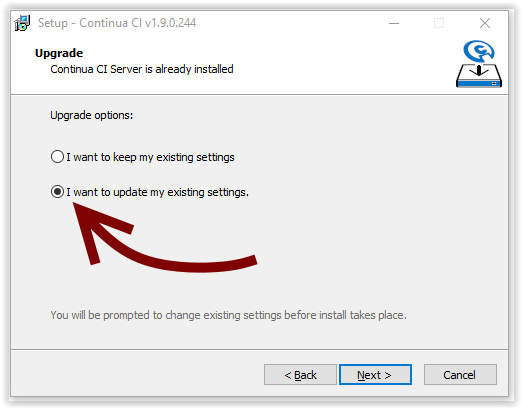
The installer stores the previous settings entered. You can update them by selecting an option on the second page of the setup wizard: